Tuesday, March 2, 2010

Travel Photography - Preparation, Shot Lists, and Gear

While I've been on a few trips, this is the first trip that I've been preparing for with a specific plan to take potentially marketable images - either for stock, fine are, or editorial.  I'll be traveling to Vietnam for a few weeks in March, and will be taking in the major site of Hanoi, Halong Bay, Hoi An, Ho Chi City, Mekong Delta, and Island. 

Preparation

Researching the different locations, noting the top sites, times of day that might be best in certain locations.  For stock photography I've visited a number of existing sites to see what types of images exist already, what ideas I may generate from these images, and how I need to make my images different and unique to become more salable.   Some of the sites I've visited, searching for various keywords, have been: Photoshelter, iStockphoto, Alamy, and Getty Images.

Shot Lists

Knowing what you want to shoot, when, and where will be key in saving time and making the most of the limited time you'll likely have at each place.  A few major categories I'll be concentrating on in each place:
  • Skylines, expansive views with a sense of place
  • Street scenes, people, restaurants (exterior, interiors, food)
  • Culture (customs, juxtaposition, old/new)
  • Historic monuments and buildings (hopefully with unique angles / perspective)
  • Shopping (markets, buying/selling, interaction)
  • Story telling close-ups or details (image series, multiple angles of same subject)
  • Special events, holidays, etc. in each place
A couple articles I found with more information on putting together and researching a shot list are here and here.

Gear

In previous trips, I either didn't have an SLR Camera or chose not to take it, trading off image quality and flexibility for a lighter load and less liability.  From those trips to this one I'm much more focused on images and capturing that sense of place, than I am on a camera that fits in my pocket.  I'll still be taking a relatively small amount of gear with me, which would be considered Amateur and not Pro, but the potential for better images has increased ten fold from my previous point-and-shoot trips. 

Nikon D80, with 18-200mm VR II DX lens
GorilaPod tripod, mainly for night shooting or indoor
Memory Cards (4-16 GB)
Charger
GPS / Battery Pack for Geotagging photos (see previous post)

Tuesday, February 23, 2010

Monetize Your Images :: With Microstock

I've recently gotten back into the idea of monetizing my images and there are a number of options one can pursue to make money from your photos.  Microstock is one of those options...

Microstock

A contentious avenue for sales to some and one I haven't put a lot of time into.  I've been getting back into it, but slowly.  Keeping the motivation going through rejection, a large amount of time editing and keywording images, with little payoff in the beginning has been a struggle.  But I'm determined to give it a go and see where I end up - I'll be updating my progress here in future posts.

Microstock is mainly Royalty Free images requiring a model/property release (if applicable) and counts on multiple sales of the same image to recoup the cost of production due to the low cost per image in microstock.  Sales typically range from $1.00 - $20.00 per image, with only a percentage of that going to the photographer.  It is open to anyone with a decent camera (usually 4-6 mega pixels and above), but most sites have quality standards that you must meet in order to submit images for sale on their site.

A few of the major microstock sites to check out if you're interested in this:

iStockphoto
Shutterstock
Dreamstime
CanStockPhoto
Fotolia

Friday, February 19, 2010

A Long Hiatus

A long hiatus from this blog...over a year!!  But I'm back and have resolved to get some regular posting in.

I've recently revisted my ambitions of becoming a pro photographer.  While, at this rate the going has been very slow, I'm excited at the possibility of growing my knowledge and skills as a photographer.  And if it takes a while, if ever, to reach that label "PRO" then so be it.

I haven't been shooting nearly as much as I should be, but I think that's the case with most photographers.  Makes me think of the book title from Chase Jarvis I cam across the other day "The Best Camera Is The One That's With You: iPhone Photography".  I haven't read the book, but inspiring none the less.

A few Photos from 2009:

Vancouver Skyline, Float Plane Overhead

Prince Rupert, British Columbia

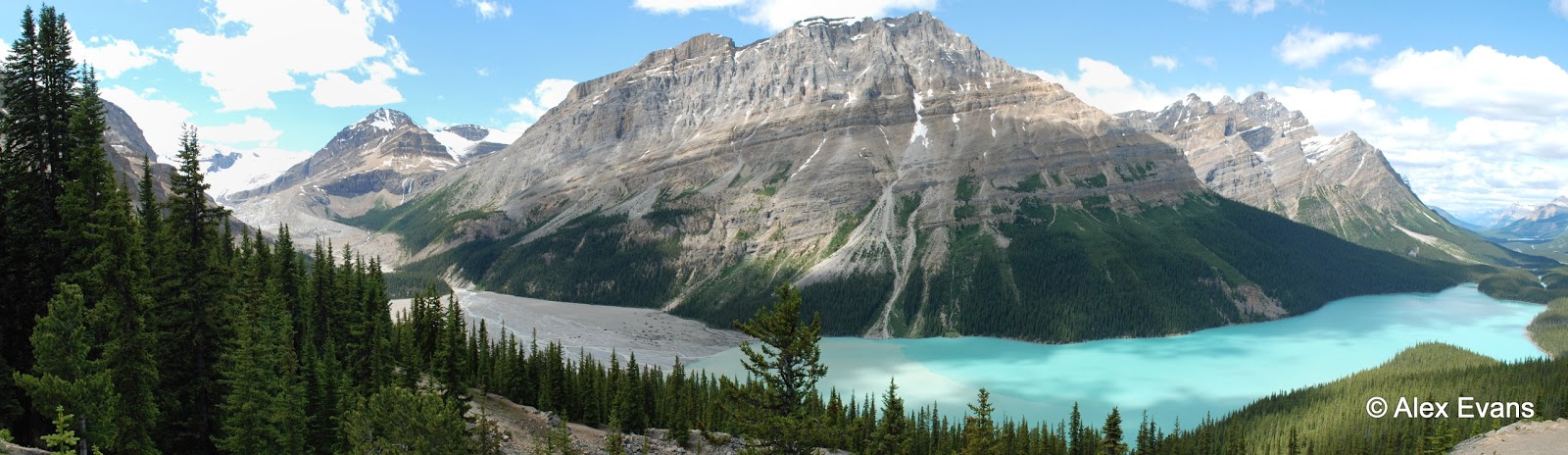
Peyto Lake, Jasper National Park, Alberta


Friday, February 6, 2009

My Geotagging Workflow: RAW / DNG Files and Lightroom

Although I haven't tried any dedicated plug-ins in Lightroom for geotagging photos (one is available here), the workflow below is relatively straight forward and allows you to geotag photos manually or automatically with a GPS track file (NMEA, GPX). I've summarized a workflow for geotagging JPEG files using the program locr already, but in this post I'll concentrate on DNG files (and RAW files, assuming you'll be converting your RAW files to DNG format). Adobe has a pretty straight forward converter for this here.

1.) Find the files you want to geotag. If the files are currently in RAW format, I convert to DNG since storing metadata in RAW files can be problematic and/or keeping track of sidecar files can also be a chore.

2.) If you have imported your photos into Lightroom already, now is the time to save your metadata to the files - any changes, keywording, edits, etc. you've done to each file in Lightroom. This step is crucial, especially if you have done a lot of edits to your photos before geotagging - similar to my case as I continue to go back through my catalogue and update/improve a lot of the metadata. If you don't save any previous edits done in Lightroom, then when you import the updated information (GPS coordinates in this case) generated in GeoSetter, all other edits will be lost if you did any.


3.) With each DNG file you want to geotag, updated with the latest metadata from Lightroom, you can now work with these files in a separate Geotagging program (GeoSetter in this case, since locr doesn't support DNG or RAW file formats).


Screenshot from GeoSetter website.

4.) Tag your photos manually or automatically with GeoSetter, adding any additional metadata you want at that time. One interesting feature in this program is the ability to automatically populate the location fields in IPTC data (Country Code, country, province, city) once the image is geotagged. You can also do the same thing with altitude values.

5.) One you've tagged and saved the new data to your files in GeoSetter, you can then go back to Lightroom and "Read Metadata from files" to update the files in Lightroom with the GPS data (and any other location/elevation/metadata you've added).

6.) Repeat the process for any files you want to Geotag!

Overall I've found Geosetter to be more intuitive, user friendly and flexible than locr, so will probably use this program for all my geotagging needs.

Tuesday, February 3, 2009

More Vancouver Photos: Jericho Beach to the Sea Wall

UPDATE: I've now actually moved to Vancouver and have started a blog with daily posts here - Vancouver Daily Photo
_________________________________________________________________
It's interesting that after all the editing, I only chose one colour image and the rest are black and white.  These first three images are from Jericho Beach Park south of downtown Vancouver.  The remaining two images are from a walk around the Sea Wall at Stanley Park.


I wanted to get quite a contrast and silhouette in this photo, so I cranked up the dark and light to near max in post production.  Although there is much more detail in the original photo, I really like how the blown out areas and over-dark areas work in this image.
Lions Gate Bridge, Vancouver

Monday, February 2, 2009

Vancouver Panorama

I recently grabbed this shot from a series of 7 shots in Vancouver.  I've stitched them together with Hugin, and have been quite impressed with the seamless stitching it produces.

I always find it difficult to appreciate a big panoramic image on the screen, since you have to scroll along at any decent resolution.  The image will definately look better in a separate window (click image).
===================================
UPDATE: I've now actually moved to Vancouver and have started a blog with daily posts here - Vancouver Daily Photo